
Best Free Merge Games No Download: Play Direct in Browser
6 min read
Finding the best free merge games no download comes down to three clear criteria: instant loading in a web browser, responsive drag and drop controls on phone or desktop, and reliable local saving that preserves your board without requiring an account. Instead of waiting on large app store packages or navigating complex registrations, browser merge titles let you combine items the moment the page opens. At JP Game Studios, we built Merge Bakery around these priorities, offering a cozy culinary board where you can match ingredients and renovate dining spaces directly in your browser.
Criteria for the Best Free Merge Games No Download
When evaluating free merge games you can play online without downloading, certain technical and gameplay standards separate smooth experiences from frustrating ones. Here is what to examine before dedicating time to a board:
- Zero Installation and Fast Loading: The game should load completely within seconds through modern web standards. Whether you open it on a mobile browser during a quick break or on a desktop monitor, you should never have to install an application, run updates, or download extra asset bundles.
- Native Screen Scaling and Fullscreen Support: A well designed browser game scales dynamically to your screen size. On desktop, utilizing the browser Fullscreen API lets you expand the grid to fill your display, giving you an uncluttered view of your board.
- Transparent Merge Trees: The best merge titles provide predictable, logical progression. When you combine items, the resulting higher tier piece should make sense within the theme, helping you plan ahead rather than guessing what comes next.
- Local Browser Persistence: You should not have to create a profile, share an email address, or link external accounts just to save your board. A high quality browser title automatically records your unlocked items and quest status directly in your current browser session.
- Generous Grid Balance: Merge puzzles rely on spatial tension, but boards should always offer functional ways to produce items, satisfy orders, and reclaim open tiles without hitting artificial dead ends.
How Browser Merge Mechanics Work: Wheat to Cake
At its core, a merge game challenges you to combine two identical items of the same level to produce a single item of the next rank. This simple rule creates an engaging loop of resource planning, storage balancing, and continuous unlocking.
In Merge Bakery, which is currently a playable preview that is still growing, the crafting loop begins on the soil and ends on the display counter. Here is how the basic production chain unfolds:
- Harvest Raw Wheat: Tap your basic generator to produce raw wheat bundles across the empty tiles of your board.
- Mill into Flour: Drag two identical wheat bundles together to combine them into a scoop of flour.
- Bake Basic Loaves: Combine two scoops of flour into a ball of dough, then keep merging up through bread rolls, round loaves and baguettes.
- Craft Cakes and Pastries: Other generators start chains of their own: eggs merge up toward cupcakes and layer cakes, and butter becomes croissants and other pastries for bigger customer orders.
Each merged item can either be pushed further up the recipe tree or delivered directly to satisfy incoming customer orders. Fulfilling these requests earns coins in the game, and those coins pay for renovating your bakery.
Board Management Strategies to Prevent Gridlock
The most common hurdle in any merge puzzle is running out of empty grid spaces. When your board fills with mismatched ingredients, your production stalls. Applying deliberate spatial habits keeps your kitchen running smoothly:
- Anchor High-Tier Items to Board Corners: Keep your most valuable, completed items along the outer perimeter or in corners. This leaves the center tiles open for dropping new items and performing rapid merges without accidental taps.
- Focus on One Order at a Time: It can be tempting to merge random items whenever duplicates appear. However, building items you do not currently need clutters your board. Check your active order board, identify the exact target recipe, and only advance ingredients required for that ticket.
- Group Identical Tiers Together: Organize your workspace by placing matching items next to each other. Keeping wheat bundles in one row and flour sacks in another makes duplicates immediately obvious and prevents wasted searching across a crowded grid.
- Avoid Spawning Without Free Space: Always ensure you have at least three or four empty tiles before tapping a generator. Spawning onto a nearly full board leaves no room to maneuver if the generator drops an item you cannot merge yet.
How Progress Saves in Your Browser
Playing without downloading also means playing without account friction. At JP Game Studios, our games are played as a guest on phone or desktop with nothing to install. Your favourites, unlocked recipes, and board progress stay in that browser on that specific device.
This approach offers immediate convenience: you can bookmark the page, close your tab, and return later to find your bakery board exactly as you left it. Because progress relies on your local browser storage rather than an external account server, your data remains private to your machine. However, keep in mind that clearing your browser cache, using private browsing modes, or switching to a different computer or phone will not transfer your saved board. Your progress remains anchored to the specific browser environment where you began playing.
Comparing Merge Games to Other Browser Casual Genres
Merge games offer a distinctive rhythm of sorting and steady upgrade cycles, but browser gaming includes several casual styles depending on your mood:
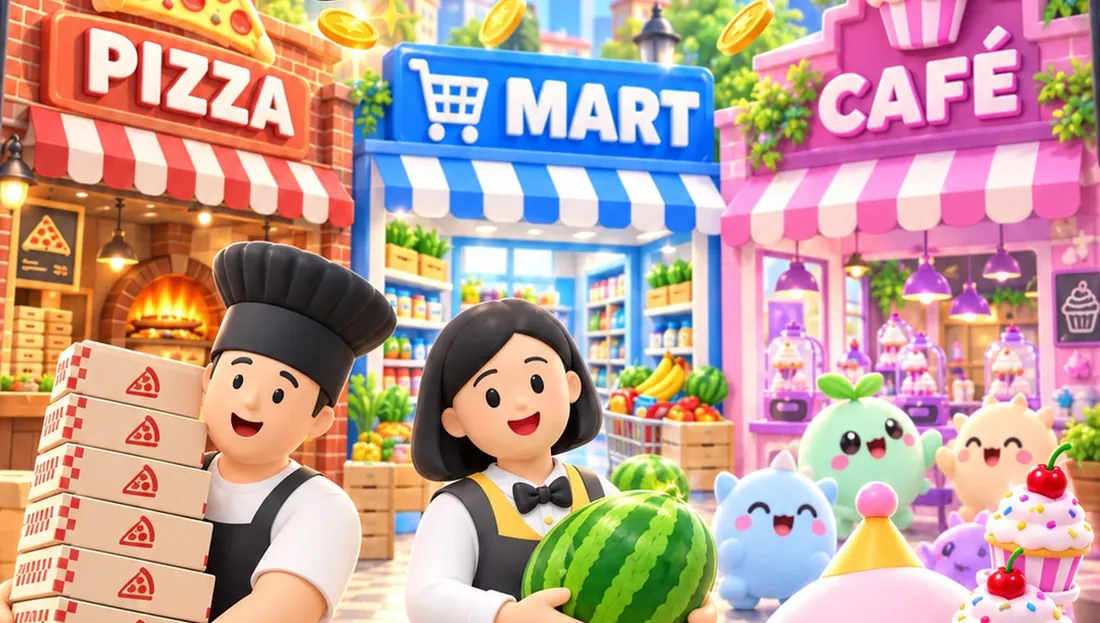
- Merge Puzzles vs. Management Tycoons: If you enjoy overseeing commercial spaces and balancing workflows across multiple counters, management titles might catch your interest. In our tycoon game Shop Tycoon, you unlock and operate a pizzeria, a mini mart, and a monster café one after another, focusing on customer lines and staff rather than tile by tile item combining.
- Merge Puzzles vs. Block Puzzles: While merge games let you clear space by pairing duplicates, grid clearing puzzles challenge you to fill rows and columns. In Block Bloom, you place geometric shapes across an 8x8 grid through 30 puzzles organized in five chapters, where pieces do not rotate and spatial planning is critical.
- Pure Casual Relaxation: If your priority is tactile progression where every match creates a permanent reward and tangible renovation milestones, merge mechanics offer the most satisfying feedback loop.
If you want a relaxing session of combining ingredients, filling customer orders, and restoring your shop at your own pace, you can start immediately. Play Merge Bakery right now in your web browser with no downloads, account signups, or installation required.
What are the best free merge games no download to play online?
The best free merge games with no download required are browser based titles that load instantly, feature intuitive drag and drop mechanics, and save your progress locally. Merge Bakery offers this seamless experience on phone and desktop browsers, letting you combine ingredients from wheat to cake without installing any software.
Do I need to create an account to save my merge game progress?
No. When you play our browser games as a guest, your unlocked recipes, board items, and renovation progress are stored directly in your browser on that device. Your progress remains available as long as you use the same browser and do not clear its local website storage.
Can I play browser merge games on both phone and desktop?
Yes. Modern browser merge games are built with responsive web standards that adapt automatically to touchscreen taps on mobile devices and mouse drag controls on desktop computers.
Are the browser games on JP Game Studios finished versions?
All eleven games on our portal, including Merge Bakery, are playable previews that are still growing. Players can explore the current recipe chains, complete orders, and test renovation features while we continue developing and expanding each title.