
Play Supermarket Games Online Free in Your Browser
5 min read
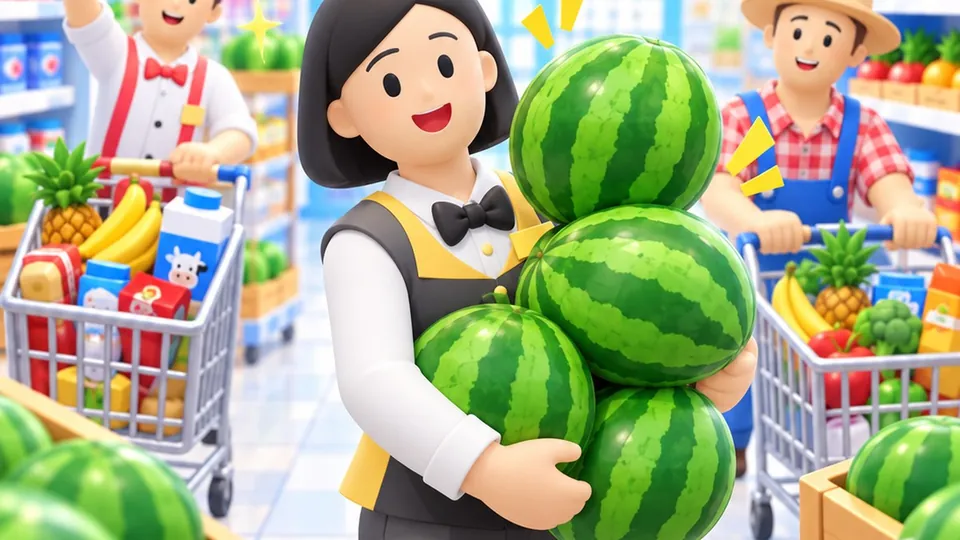
If you want to play supermarket games online free, you can jump straight into the action in your web browser without downloading installer packages or setting up user accounts. Supermarket games put you in control of an active storekeeper who moves across the sales floor to stock shelves, ring up customer purchases at the checkout counter, and pick up shop earnings. At JP Game Studios, our tycoon games run as lightweight browser previews that are still growing, allowing casual players to enjoy quick, hands-on management sessions on mobile phones, tablets, or desktop computers.
Running a virtual retail business balances stocking speed with floor navigation. Instead of managing static spreadsheets, you control a character on the ground, making real-time decisions about which aisles need supplies and when to open registers. This guide walks through how browser-based supermarket titles work, how to organize your daily store routines, how physical upgrade pads drive progression, and how to pick the right store management title for your next gaming break.
How Supermarket Games Online Free Work in Your Browser
Browser supermarket games run on modern web standards, meaning the game code executes directly within your browser window. When you visit jpgamestudios.com, there is nothing to install and no external launcher to configure. You launch the game as a guest and immediately take charge of your shop floor.
Because you play as a guest, your progress and favourite games stay stored in that specific browser on that device through local browser data. If you need to step away or close your tab, your store state remains intact for when you return on that same computer or mobile phone. This creates an accessible experience for players who want a quick management session during a work pause or an evening unwind.
The Core Loop of Browser Supermarket Management
Every supermarket game centers on a continuous operational loop. Mastering each phase of this cycle keeps customer queues moving, prevents empty displays, and ensures steady coin collection.
1. Stocking Display Shelves
Your shop starts with basic display units and an intake dock. Fresh stock arrives at delivery crates or storage racks. You guide your character to the intake point, pick up crates of goods, and walk them over to empty display units. If shelves sit empty, arriving customers will search in vain and eventually walk out without spending coins. Experienced managers keep their primary shelves topped up before incoming foot traffic surges through the front entrance.
2. Keeping the Checkout Line Moving
Once shoppers gather their items from the aisles, they head to the cash register. Standing behind the checkout workstation processes the items, bags customer groceries, and tallies their bill. Keeping this counter clear is essential: if the line backs up, arriving shoppers cannot navigate past the queue to reach back shelves, leading to aisle gridlock.
3. Collecting Register Earnings
Serving shoppers leaves stacks of coins on the counter or around the checkout zone. You walk over to collect these earnings into your current balance. These coins are the sole currency needed to expand your floor plan and unlock new store sections.
Stand on Upgrade Pads to Spend the Coins Earned in That Game
Store progression in browser tycoon titles is active and tactile. Rather than opening complex administrative spreadsheets, you stand on upgrade pads to spend the coins earned in that game. When your character steps onto an active floor pad, your collected coins transfer into the station until the threshold is satisfied.
Standing on upgrade pads allows you to unlock several operational improvements:
- Unlocking fresh grocery displays and chilled merchandise racks.
- Expanding shelf capacity so display units hold more items between restocking trips.
- Recruiting helper assistants to stock aisles or run registers automatically.
- Enlarging the store boundary to grow the corner shop into a supermarket.
A frequent error among new managers is expanding into new merchandise categories before securing enough shelf capacity or restocking help for existing aisles. Adding new item chains too quickly splits your attention across multiple storage docks, leaving your starting shelves bare while queues build up at the register. Upgrade your base carrying capacity and checkout speed first, ensuring your current floor operates smoothly before expanding into additional aisles.
Controls and Navigation Across Desktop and Mobile Devices
Responsive movement is vital when balancing multiple stocking docks and busy registers. Modern browser tycoon games provide dedicated control schemes depending on your hardware:
- Desktop and Laptop Computers: Move your character using standard WASD keys or keyboard arrow keys. Keyboard movement gives precise directional control when dodging customer crowds in narrow aisles.
- Smartphones and Tablets: Drag the on-screen virtual joystick using your thumb. The character tracks your touch angle and walking speed smoothly, enabling comfortable one-handed play.
Because these titles run straight through HTML5 standards, you can play in standard tabs or expand your view using standard browser controls and the MDN Web Docs Fullscreen API supported by desktop and mobile browsers.
Choosing the Right Store Tycoon Game for Your Playstyle
Different players look for different challenges in retail simulation. At JP Game Studios, our management titles are playable previews that are still growing, each offering a distinct take on customer service and floor management.
Mini Mart: Dedicated Supermarket Progression
In Mini Mart, your goal is to stock the shelves, keep the line moving and grow the corner shop into a supermarket. You start with limited shelf space and basic produce, walking between supply docks and customer queues to maintain steady cash flow. As you earn coins, you unlock larger displays, hire staff, and expand the shop footprint. It is built specifically for players who enjoy direct inventory management and supermarket expansion.
Shop Tycoon: Multi-Venue Retail Management
If you prefer managing multiple types of commercial storefronts in one continuous experience, Shop Tycoon broadens your responsibilities. In this game, you run a pizzeria, a mini mart and a café full of monsters, unlocked one after another. You adapt your routine from boxing pizzas to restocking grocery shelves and serving monster snacks, providing great variety within a single playthrough.
Next Steps for Casual Store Managers
If you want to test your restocking coordination and build an efficient grocery business right away, you can start without waiting on app downloads or account logins. Play Mini Mart to begin stocking aisles and managing checkout lines in your browser today.